# Explorer

The Explorer enables rapid analysis and triage of [Segments](https://docs.dbnl.com/workflow/segments) by performing graphical and statistical comparison between different subsets of [Logs](https://docs.dbnl.com/workflow/logs) over different time windows and/or filters.

## Accessing Explorer

You can access the Explorer in three ways:

1. **From the main navigation:** Click "Explorer" in the left sidebar
2. **From an Insight:** Click the "View in Explorer" button on any Insight card
3. **From the Logs page:** Apply filters to your logs, then click "View in Explorer" in the top-right corner

When accessed from an Insight or Logs page, the Explorer will pre-populate with your current filters.

There are three main types of exploration afforded by the Explorer:

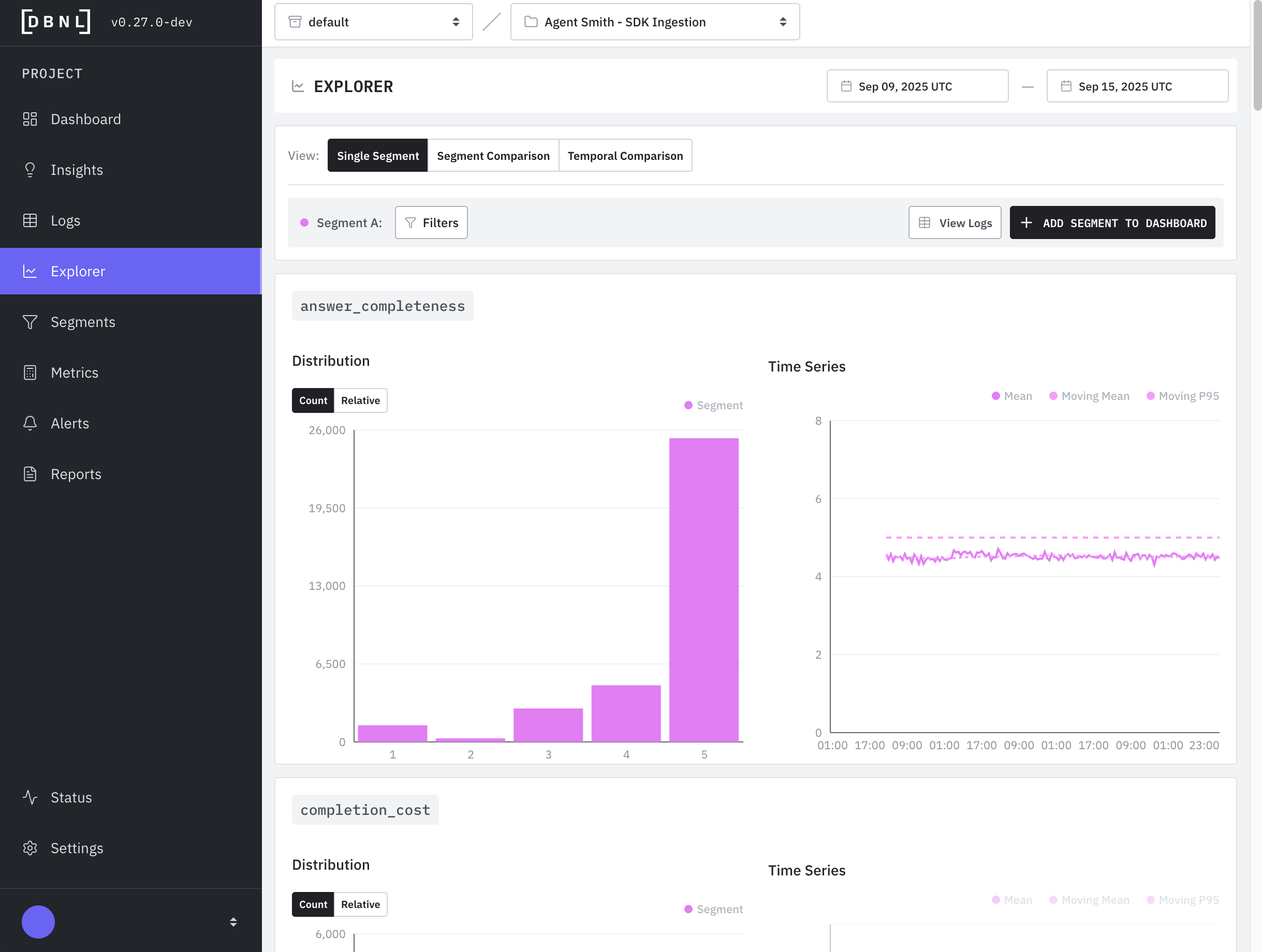
* [**Single Segment**](#single-segment): Quickly see all [Metrics](https://docs.dbnl.com/workflow/metrics) for a given time window and single filter on the [Logs](https://docs.dbnl.com/workflow/logs). This allows for an aggregate view of all Metrics.
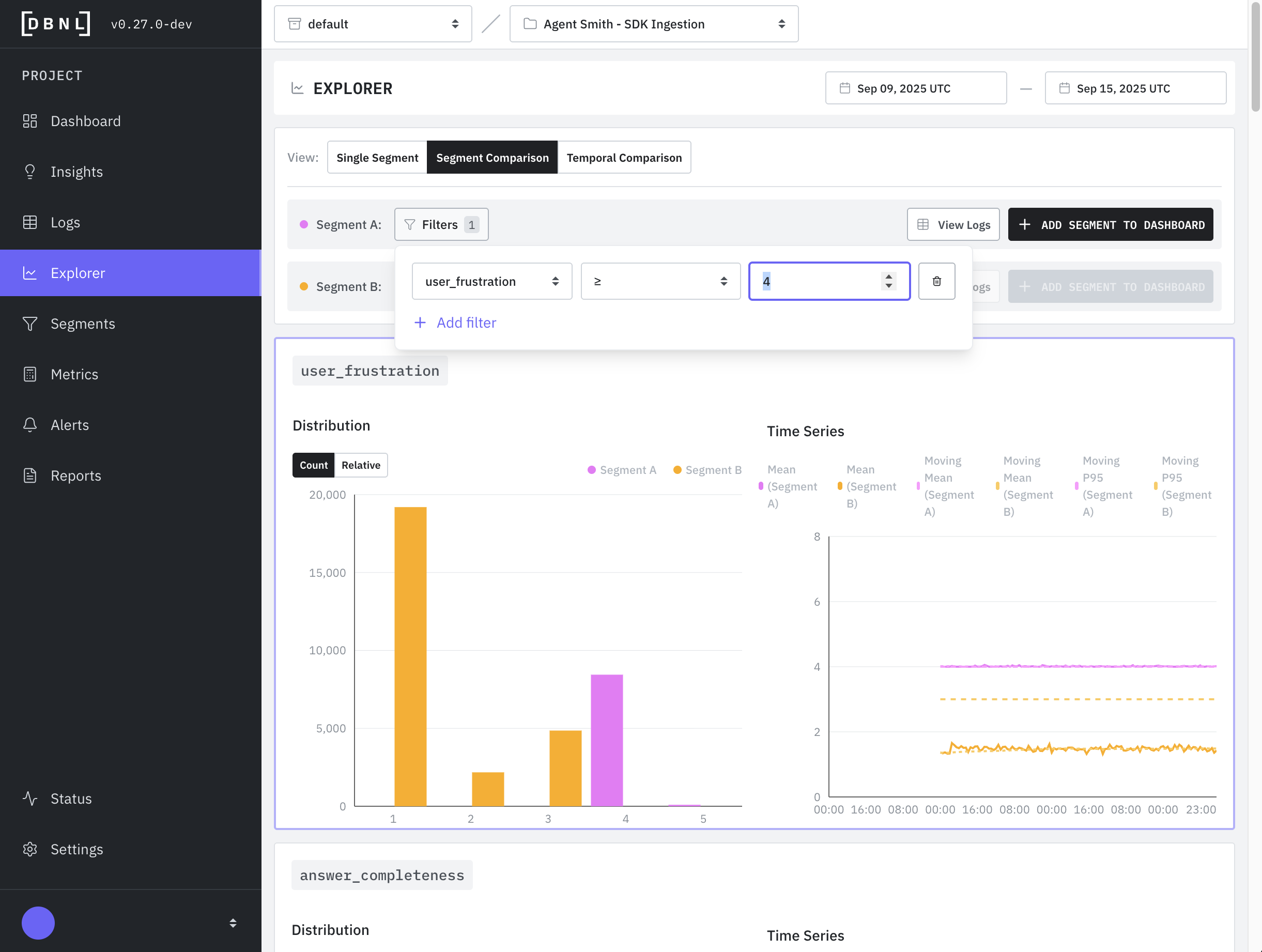
* [**Segment Comparison**](#segment-comparison): Compare two different filters on the [Logs](https://docs.dbnl.com/workflow/logs) or a filter and its compliment across the same time window. This allows for comparison of [Metrics](https://docs.dbnl.com/workflow/metrics) between filters or between a filters and the rest of the Log data.
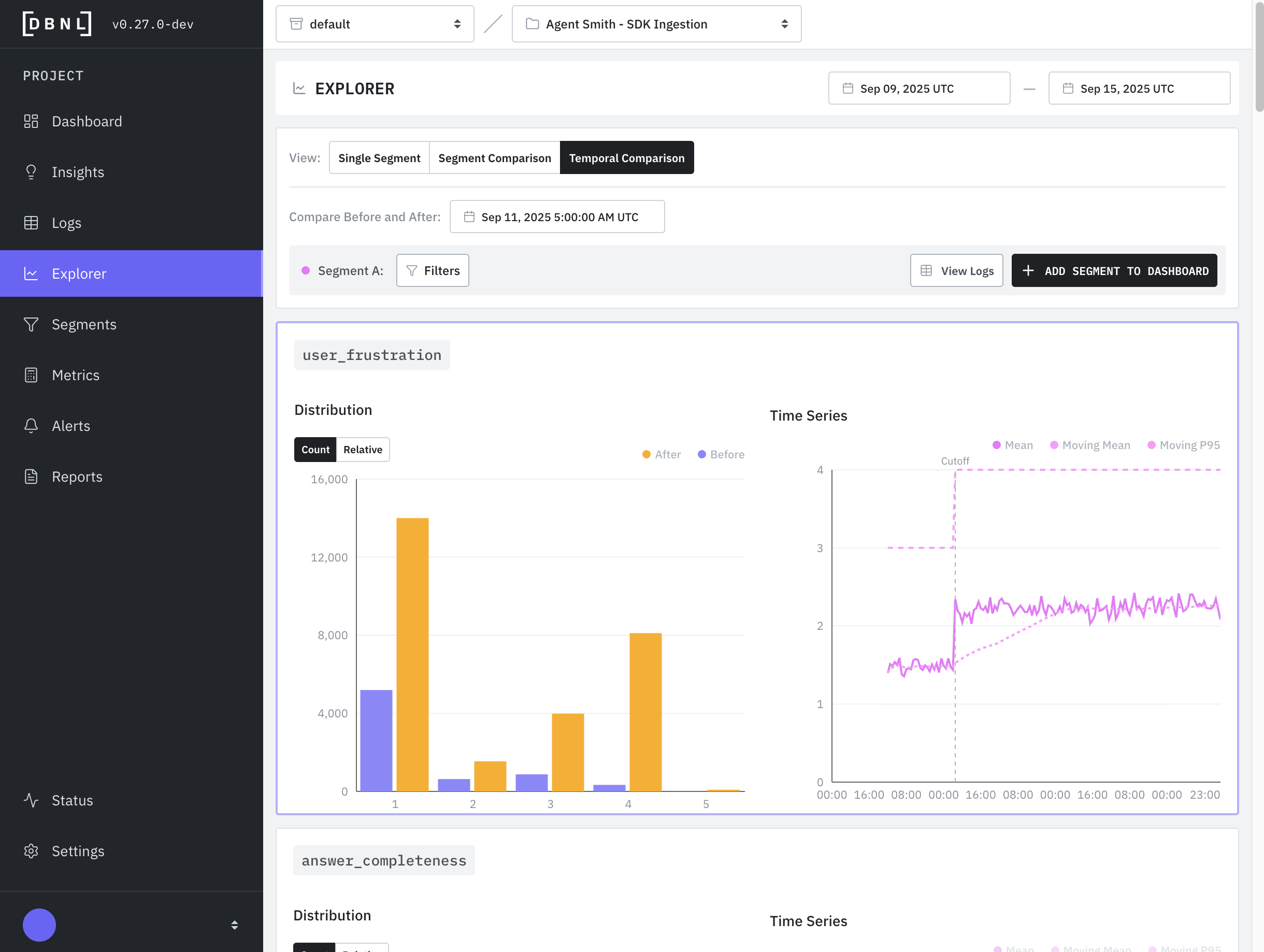
* [**Temporal Comparison**](#temporal-comparison)**:** Compare a single filter across two adjacent time windows. This allows for a [Metric](https://docs.dbnl.com/workflow/metrics) comparison of before/after for a given [Segment](https://docs.dbnl.com/workflow/segments).

### Single Segment

View all [Metrics](https://docs.dbnl.com/workflow/metrics) for a given filter on the [Logs](https://docs.dbnl.com/workflow/logs) in a time window. The filter can be optionally saved as [Segment](https://docs.dbnl.com/workflow/segments) to be published to future [Segment Dashboards](https://docs.dbnl.com/dashboards#segments-dashboard) as part of the [DBNL Data Pipeline](https://docs.dbnl.com/configuration/data-pipeline).

<figure><img src="https://content.gitbook.com/content/yx9NXaWRjaOtW8ILLJQO/blobs/LUF4NNc4oa7kWJxb3PAF/image.png" alt=""><figcaption><p>The Single Segment Explorer page allows for quickly viewing all metrics for a filter within a time window.</p></figcaption></figure>

### Segment Comparison

Compare two different filters on the [Logs](https://docs.dbnl.com/workflow/logs) or a filter and its compliment across the same time window. This allows for comparison of [Metrics](https://docs.dbnl.com/workflow/metrics) between filters or between a filters and the rest of the Log data. Either of these filters can be optionally saved as [Segments](https://docs.dbnl.com/workflow/segments) to be published to future [Segment Dashboards](https://docs.dbnl.com/dashboards#segments-dashboard) as part of the [DBNL Data Pipeline](https://docs.dbnl.com/configuration/data-pipeline).

<figure><img src="https://content.gitbook.com/content/yx9NXaWRjaOtW8ILLJQO/blobs/QF5etEWNQvepQFMslHp0/image.png" alt=""><figcaption><p>The Segment Comparison Explorer page allows for quick comparison of two filters across a single time window.</p></figcaption></figure>

### Temporal Comparison

Compare a single filter across two adjacent time windows. This allows for a [Metric](https://docs.dbnl.com/workflow/metrics) comparison of before/after for a given [Segment](https://docs.dbnl.com/workflow/segments).

<figure><img src="https://content.gitbook.com/content/yx9NXaWRjaOtW8ILLJQO/blobs/96TSNKQB8ayNoTXc7DpA/image.png" alt=""><figcaption><p>The Temporal Comparison Explorer page allows for quick comparison of a single filter across two adjacent time windows.</p></figcaption></figure>


---

# Agent Instructions: Querying This Documentation

If you need additional information that is not directly available in this page, you can query the documentation dynamically by asking a question.

Perform an HTTP GET request on the current page URL with the `ask` query parameter:

```
GET https://docs.dbnl.com/workflow/explorer.md?ask=<question>
```

The question should be specific, self-contained, and written in natural language.
The response will contain a direct answer to the question and relevant excerpts and sources from the documentation.

Use this mechanism when the answer is not explicitly present in the current page, you need clarification or additional context, or you want to retrieve related documentation sections.