# Automated Production test creation & execution

Production testing is the core tool in the Distributional toolkit – it provides the ability to continually state whether your app is performing as desired.

To make Production testing easy to start using, we have developed some automated Production test creation capabilities.  Using sample data that you upload to our system, we can craft tests which help determine if there has been a shift in behavior for your app.

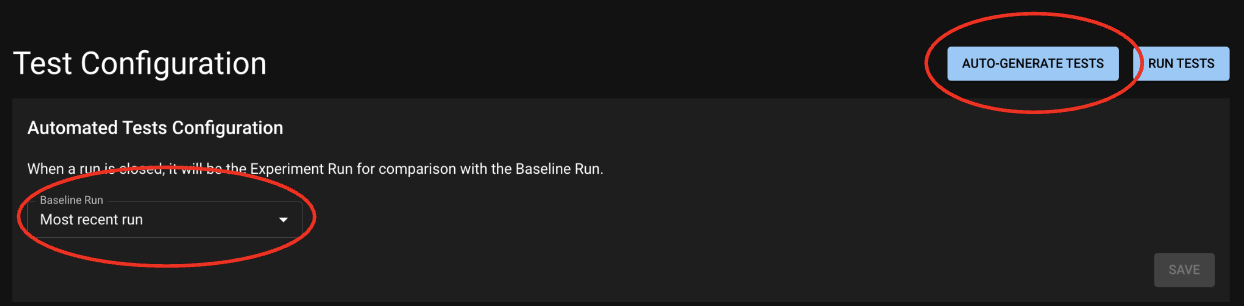
<figure><img src="/files/R0fnM6pUe581plOeCjzv" alt=""><figcaption><p>From this page, you can ask Distributional to create Tests and query Runs to define a baseline.</p></figcaption></figure>

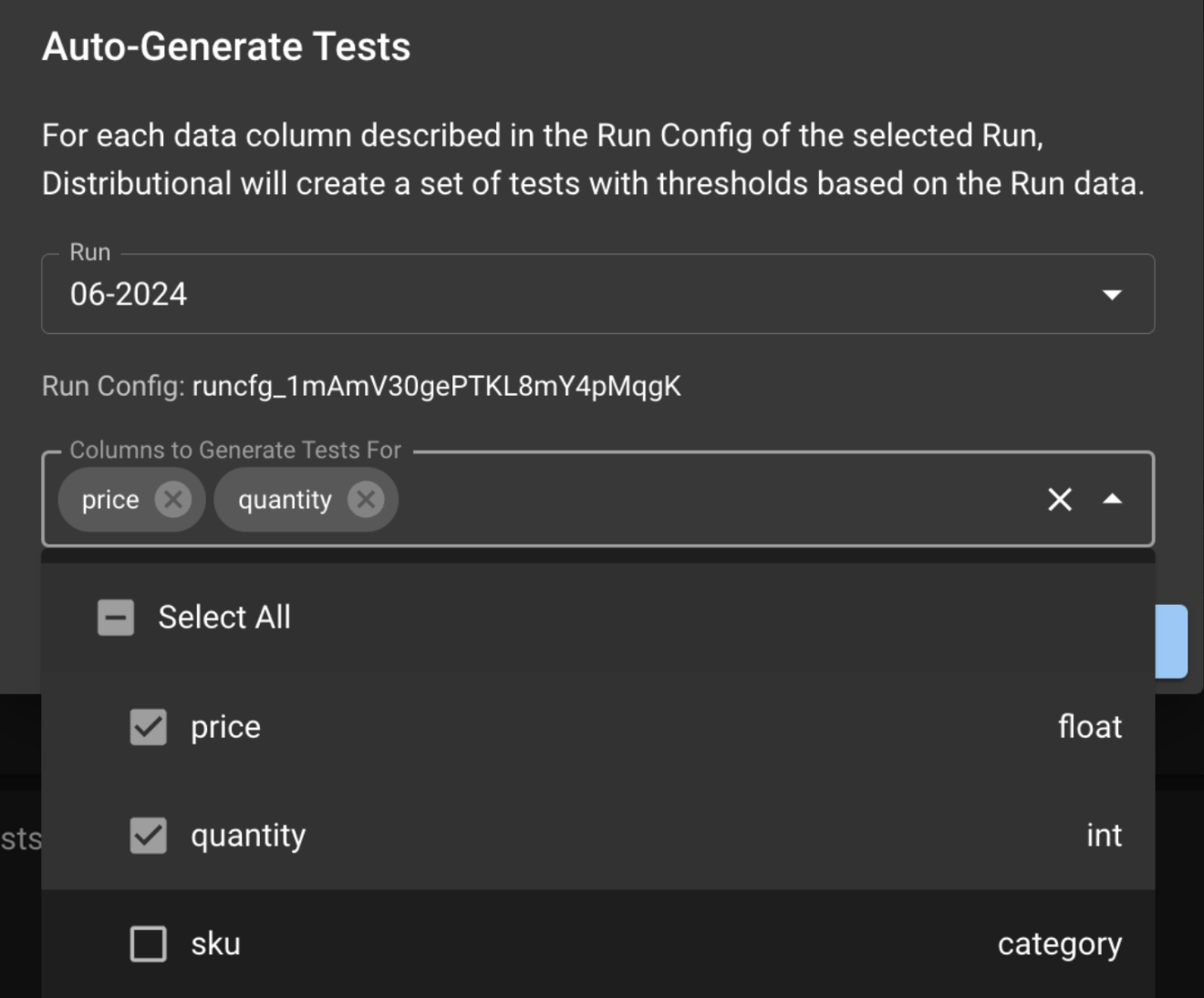
The Auto-Generate Tests button takes you to the modal below, which allows you to choose the columns on which you want to test for app consistency.

<figure><img src="/files/80JTZMHQWFRuN8VDgWJV" alt="" width="375"><figcaption><p>Select a Run from which to create Production tests,<br>and select columns that should be tested.</p></figcaption></figure>

#### Setting a Baseline through a Run Query

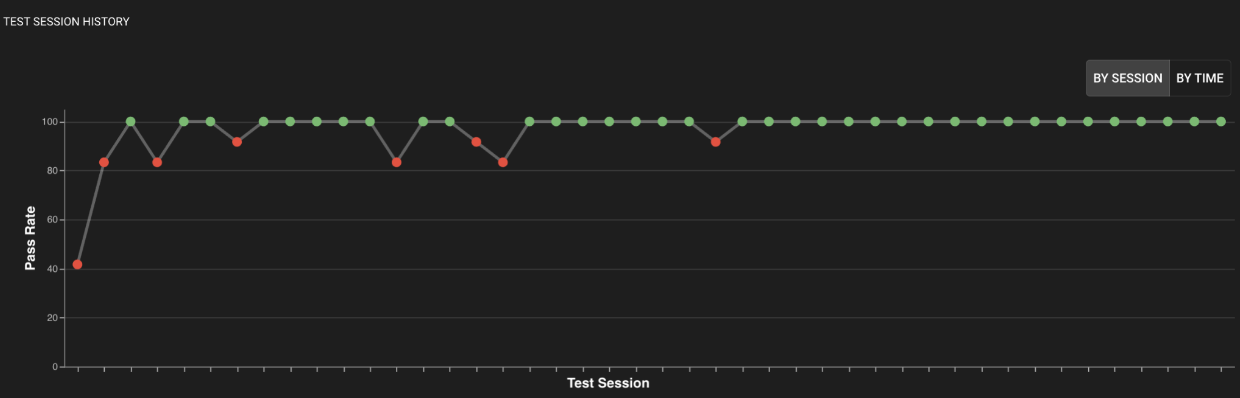
You also have the opportunity to set a Baseline Run Query, which gives you the freedom to define how far into the past you want to look to define “consistency”.  After setting the Baseline, your tests will utilize it by default; you can override it at test creation time. Over time, your project will graphically render the health of your app, as shown below.

<figure><img src="/files/1eiY1r87BlInMXvwdcXS" alt=""><figcaption><p>Oversee the behavior of your app on your tests from your Project's home page.</p></figcaption></figure>

#### Recalibrating tests

You may later deactivate or [recalibrate](/v0.25.x/to-be-deleted/recalibration.md) any of the automatically generated tests as you feel the desire to adapt these tests to meet your needs.  In particular, we recommend that you review the first several test sessions in a new Project and recalibrate based on observed behavior.  If you believe that no significant difference exists between tested runs, you should recalibrate the generated tests to pass.


---

# Agent Instructions: Querying This Documentation

If you need additional information that is not directly available in this page, you can query the documentation dynamically by asking a question.

Perform an HTTP GET request on the current page URL with the `ask` query parameter:

```
GET https://docs.dbnl.com/v0.25.x/to-be-deleted/stages-in-the-ai-software-development-lifecycle/defining-tests-in-distributional/automated-production-test-creation-and-execution.md?ask=<question>
```

The question should be specific, self-contained, and written in natural language.
The response will contain a direct answer to the question and relevant excerpts and sources from the documentation.

Use this mechanism when the answer is not explicitly present in the current page, you need clarification or additional context, or you want to retrieve related documentation sections.