> For the complete documentation index, see [llms.txt](https://docs.dbnl.com/llms.txt). Markdown versions of documentation pages are available by appending `.md` to page URLs; this page is available as [Markdown](https://docs.dbnl.com/v0.21.x/using-distributional/testing/executing-tests/executing-tests-via-sdk.md).
# Executing Tests Via SDK
Tests can also be executed via the SDK after results data has been reported. This requires the following steps.
## Report an initial run and set that as a baseline
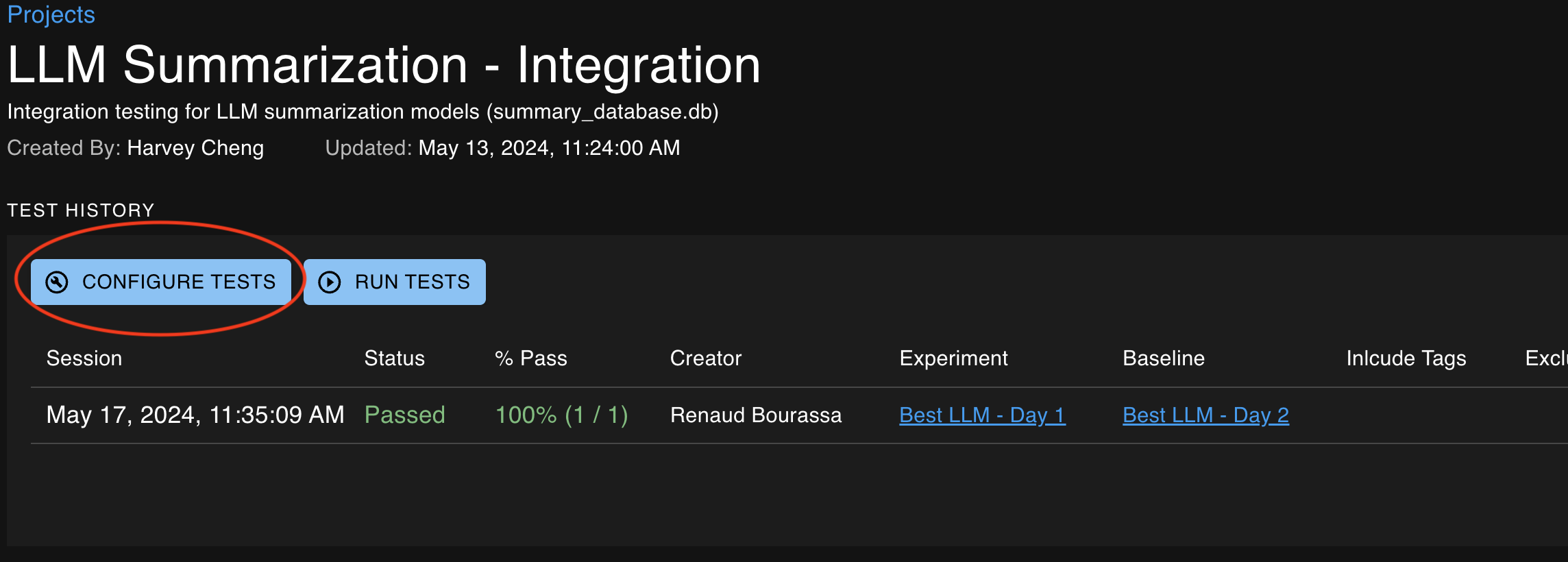
From the project details page, click configure tests.
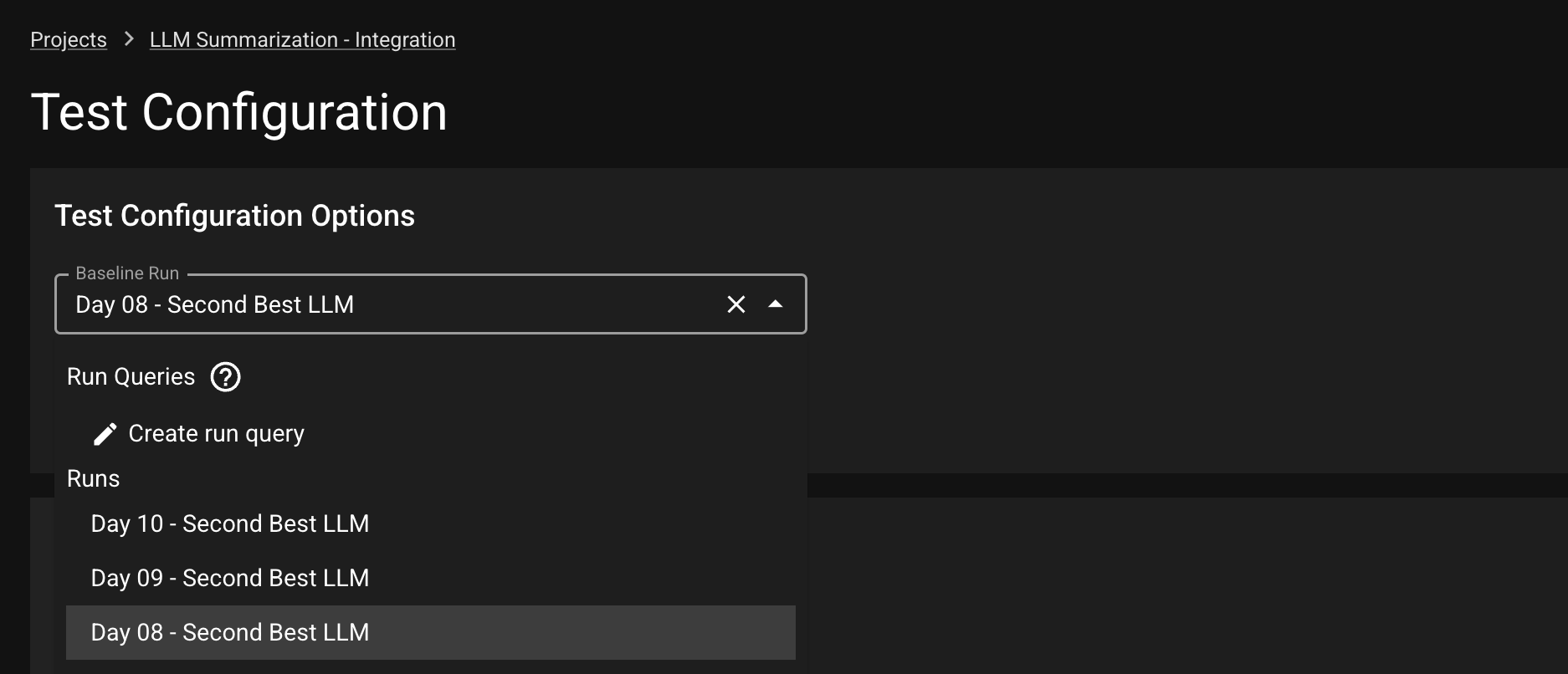
Select the baseline run in the dropdown against which you would like new experiment runs to be compared.
### Setting baseline in SDK
Alternatively, you can also set a Run as baseline using the [`set_run_as_baseline`](/v0.21.x/using-distributional/python-sdk/sdk-functions/baseline/set_run_as_baseline.md) function.
## Close a new run in that project
Executing the [`close_run`](/v0.21.x/using-distributional/python-sdk/sdk-functions/run/close_run.md) command for a new run in that same project will finalize the data, enabling it for use in Tests.
### Create Test Session
Execute the [`create_test_session`](/v0.21.x/using-distributional/python-sdk/sdk-functions/test-session/create_test_session.md) command, providing your new run as the "experiment". Tests will then use the previously-defined `baseline` for comparisons.